Summary: You need far fewer screenshot sizes than most guides claim: for most apps, one iPhone size and one iPad size cover everything.1 Every dimension below comes straight from Apple’s specifications, verified July 2026.
What are the App Store screenshot sizes for 2026?
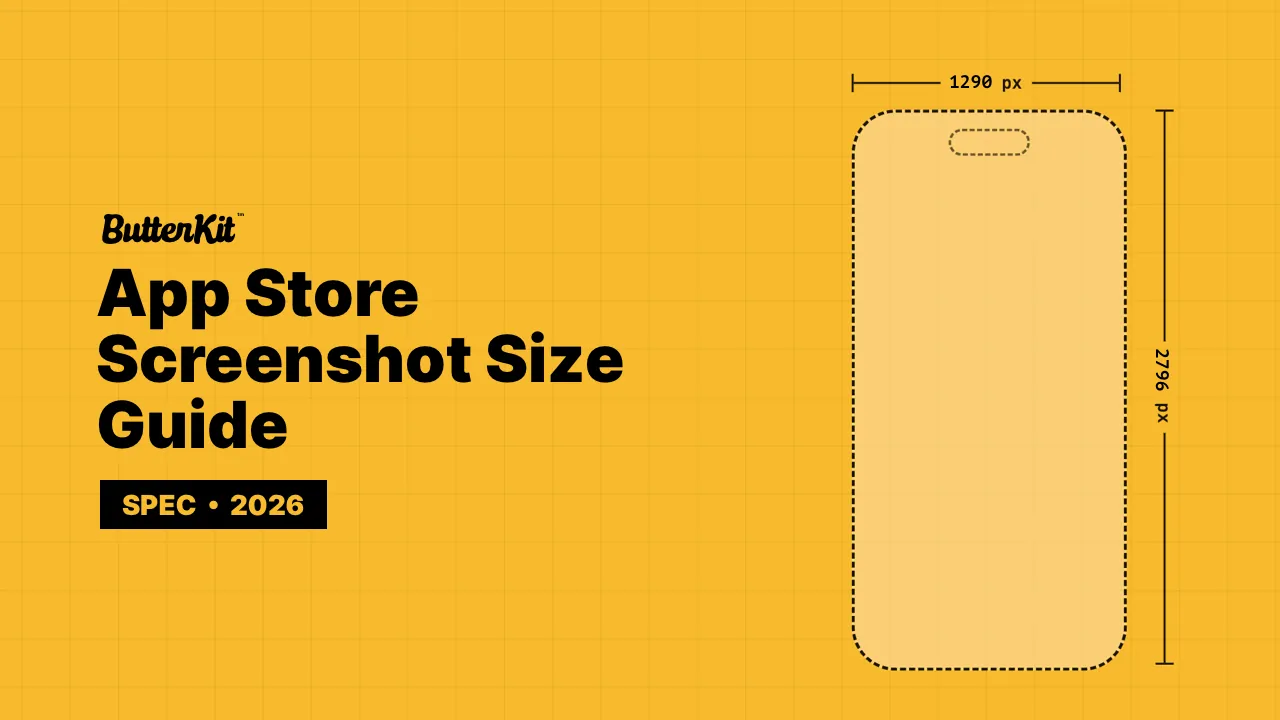
Most iPhone and iPad apps only need two sizes: 1290 x 2796 for iPhone and 2064 x 2752 for iPad. App Store Connect scales these for every smaller display automatically, and all other sizes are optional overrides.1
One 6.9" set: every smaller iPhone display is auto-scaled from it. Nothing else to export.
ButterKit exports these sizes and uploads them straight to App Store Connect for you.
All accepted sizes ▾Hide accepted sizes ▴
| Display | Example devices | Portrait sizes | Status |
|---|---|---|---|
| 6.9" | iPhone 17 Pro Max · iPhone Air · 16 Pro Max · 15 Pro Max | Required | |
| 6.5" | iPhone 14 Plus · 13 Pro Max · 12 Pro Max · 11 · XS Max | Required if no 6.9" | |
| 6.3" | iPhone 17 Pro · 17 · 16 Pro · 16 · 15 Pro · 15 · 14 Pro | Auto-scaled | |
| 6.1" | iPhone 17e · 16e · 14 · 13 · 12 · 11 Pro · X | Auto-scaled | |
| 5.5" | iPhone 8 Plus · 7 Plus · 6S Plus | Auto-scaled | |
| 4.7" | iPhone SE (2nd/3rd gen) · 8 · 7 · 6S | Auto-scaled | |
| 4" | iPhone SE (1st gen) · 5S | Auto-scaled | |
| 3.5" | iPhone 4S · 4 | Auto-scaled |
| Display | Example devices | Landscape sizes | Status |
|---|---|---|---|
| 6.9" | iPhone 17 Pro Max · iPhone Air · 16 Pro Max · 15 Pro Max | Required | |
| 6.5" | iPhone 14 Plus · 13 Pro Max · 12 Pro Max · 11 · XS Max | Required if no 6.9" | |
| 6.3" | iPhone 17 Pro · 17 · 16 Pro · 16 · 15 Pro · 15 · 14 Pro | Auto-scaled | |
| 6.1" | iPhone 17e · 16e · 14 · 13 · 12 · 11 Pro · X | Auto-scaled | |
| 5.5" | iPhone 8 Plus · 7 Plus · 6S Plus | Auto-scaled | |
| 4.7" | iPhone SE (2nd/3rd gen) · 8 · 7 · 6S | Auto-scaled | |
| 4" | iPhone SE (1st gen) · 5S | Auto-scaled | |
| 3.5" | iPhone 4S · 4 | Auto-scaled |
For the 4" and 3.5" legacy displays, the smaller variant of each pair is the size without the status bar.
One 13" set covers every iPad; smaller displays are auto-scaled. Required only if your app runs on iPad.
2048 x 2732 is also accepted in the 13" slot.
ButterKit exports these sizes and uploads them straight to App Store Connect for you.
All accepted sizes ▾Hide accepted sizes ▴
| Display | Example devices | Portrait sizes | Status |
|---|---|---|---|
| 13" | iPad Pro (M4/M5) · iPad Air (M2/M3/M4) | Required | |
| 12.9" | iPad Pro (2nd gen) | Auto-scaled | |
| 11" | iPad Pro 11" · iPad Air · iPad · iPad mini | Auto-scaled | |
| 10.5" | iPad Pro 10.5" · iPad Air (3rd gen) · iPad (7th to 9th gen) | Auto-scaled | |
| 9.7" | iPad Pro 9.7" · iPad Air 2 · iPad mini 4 | Auto-scaled |
| Display | Example devices | Landscape sizes | Status |
|---|---|---|---|
| 13" | iPad Pro (M4/M5) · iPad Air (M2/M3/M4) | Required | |
| 12.9" | iPad Pro (2nd gen) | Auto-scaled | |
| 11" | iPad Pro 11" · iPad Air · iPad · iPad mini | Auto-scaled | |
| 10.5" | iPad Pro 10.5" · iPad Air (3rd gen) · iPad (7th to 9th gen) | Auto-scaled | |
| 9.7" | iPad Pro 9.7" · iPad Air 2 · iPad mini 4 | Auto-scaled |
For the 9.7" display, the smaller variant of each pair is the size without the status bar.
Shown for Series 11 and 10. Pick the size for your newest supported model and use it for every localization.
ButterKit exports these sizes and uploads them straight to App Store Connect for you.
All accepted sizes ▾Hide accepted sizes ▴
| Model | Accepted sizes |
|---|---|
| Ultra 3 | |
| Ultra 2 · Ultra | |
| Series 11 · 10 | |
| Series 9 · 8 · 7 | |
| Series 6 · 5 · 4 · SE | |
| Series 3 |
Mac screenshots need a 16:10 aspect ratio (landscape). Any of the four accepted sizes works.
ButterKit exports these sizes and uploads them straight to App Store Connect for you.
All accepted sizes ▾Hide accepted sizes ▴
| Display | Example devices | Accepted sizes |
|---|---|---|
| 16:10 | All Mac models |
Landscape only. Use 1080p or 4K.
ButterKit exports these sizes and uploads them straight to App Store Connect for you.
All accepted sizes ▾Hide accepted sizes ▴
| Display | Example devices | Accepted sizes |
|---|---|---|
| HD / 4K | Apple TV |
Landscape only. This is the single accepted size for Apple Vision Pro screenshots.
ButterKit exports these sizes and uploads them straight to App Store Connect for you.
All accepted sizes ▾Hide accepted sizes ▴
| Display | Example devices | Accepted sizes |
|---|---|---|
| 4K | Apple Vision Pro |
Which App Store screenshot sizes are required?
One set per platform your app runs on: iPhone requires a 6.9-inch set (a 6.5-inch set also satisfies it), iPad requires a 13-inch set if your app supports iPad, and Mac, Apple Watch, Apple TV, and Vision Pro each need one set in their accepted sizes. Of the three accepted 6.9-inch dimensions, ButterKit recommends and exports 1290 x 2796; a smaller display’s native size only matters if you want pixel-perfect art on that specific device.
What are the App Store preview video requirements?
App previews are short videos that autoplay on your product page. Apple accepts up to 3 per localization, each 15 to 30 seconds, up to 500 MB, at a maximum of 30 fps, delivered as H.264 (.mov, .m4v, .mp4) or ProRes 422 HQ (.mov).2
| Device | Preview resolution |
|---|---|
| iPhone 6.9", 6.5", 6.3", 6.1" | 886 x 1920 portrait, 1920 x 886 landscape |
| iPhone 5.5" | 1080 x 1920 portrait, 1920 x 1080 landscape |
| iPad (13", 11", 10.5") | 1200 x 1600 portrait, 1600 x 1200 landscape |
| iPad 9.7" (legacy) | 900 x 1200 portrait, 1200 x 900 landscape |
| iPhone 4" (legacy) | 1080 x 1920 portrait, 1920 x 1080 landscape |
| Mac, Apple TV | 1920 x 1080 landscape only |
| Apple Vision Pro | 3840 x 2160 landscape only |
How many screenshots can you upload?
Each localization accepts 1 to 10 screenshots per device size. That multiplies quickly: 10 screenshots in 3 device sizes across 30 languages is 900 images to produce, name, and place in the right slots. That multiplication is exactly what ButterKit automates: design once, translate into all 50 App Store languages, and upload every localization directly to App Store Connect with the sizes handled for you.
What changed in Apple’s current requirements?
Three things commonly out of date in older guides:
- The 6.9-inch class now leads the table. iPhone 17 Pro Max, iPhone Air, and 16 Pro Max all sit in the 6.9-inch slot.
1320 x 2868is the newest accepted size, and1290 x 2796and1260 x 2736remain fully accepted alongside it, so existing1290 x 2796pipelines (including ButterKit’s default export) need no changes. - iPad’s required size is 13-inch.
2064 x 2752joined the older2048 x 2732, and both satisfy the requirement. - Auto-scaling means fewer required sizes. Apple fills every non-provided slot by scaling your 6.9-inch (iPhone) and 13-inch (iPad) sets, so most teams should stop producing per-device variants entirely.
When Apple ships new devices each September, this page gets re-verified against the official specifications linked below.
Frequently asked questions
Have a different question and can't find the answer you're looking for? Post it in the r/ButterKit subreddit or Discord chat
What size are App Store screenshots for iPhone?
The current iPhone requirement is one 6.9-inch size: 1290 x 2796 (the size ButterKit recommends), 1320 x 2868, or 1260 x 2736 pixels (portrait), or their landscape equivalents. Providing a 6.5-inch size (1284 x 2778 or 1242 x 2688) also satisfies the requirement.
Do I need screenshots for every device size?
No. Upload one iPhone size (6.9-inch) and one iPad size (13-inch, if your app runs on iPad) and App Store Connect scales them for every other display. Additional sizes are optional overrides for pixel-perfect control.
What are the iPad screenshot sizes?
The required 13-inch slot accepts 2064 x 2752 or 2048 x 2732 pixels (portrait), or their landscape equivalents. Smaller iPads (12.9-inch, 11-inch, 10.5-inch, 9.7-inch) are auto-scaled from your 13-inch set, or accept their native sizes as optional overrides. Open the iPad tab in the size picker above for every accepted dimension.
What sizes do Mac, Apple Watch, Apple TV, and Vision Pro screenshots need?
Mac uses any 16:10 landscape size: 2880 x 1800, 2560 x 1600, 1440 x 900, or 1280 x 800. Apple Watch uses one size per model class (422 x 514 for Ultra 3 down to 312 x 390 for Series 3), kept identical across all localizations. Apple TV accepts 1920 x 1080 or 3840 x 2160, and Vision Pro accepts 3840 x 2160 only.
Why does App Store Connect say my screenshot dimensions are wrong?
You are uploading an image whose pixel size does not match the display slot, for example a 6.9-inch screenshot into the 6.5-inch slot. See Fix “The dimensions of one or more screenshots are wrong” for causes and fixes.
What size is the in-app purchase review screenshot?
In-app purchase and subscription review screenshots use their own size, 640 x 920 pixels for iPhone, separate from marketing screenshots. This size only appears in the review section of your IAP setup, never on your product page.
Can App Store screenshots be JPEG?
Yes. App Store Connect accepts .jpeg, .jpg, and .png files for screenshots. PNG is the safer default for UI because it avoids compression artifacts on text and flat color.
Does ButterKit handle these sizes and uploads for me?
Yes, that is exactly what ButterKit is for. Design your screenshots once and it exports every artboard at the precise pixel dimensions each App Store Connect slot requires, translates them into every App Store language, and uploads them into the correct slots via the App Store Connect API. You never have to look up a pixel dimension again.
Sources
- Apple, "Screenshot specifications", App Store Connect Help reference. Accepted sizes, requirement rules, and scaling behavior per display class. Retrieved July 2026. Link ↩︎
- Apple, "App preview specifications", App Store Connect Help reference. Resolutions, duration, format, and delivery requirements. Retrieved July 2026. Link ↩︎