Custom Translation Instructions
Cloud AI models translate better when they understand your brand. Translation Instructions let you give your cloud models context: your tone, capitalization rules, words to never translate, and more. The result is translations that sound like you wrote them, not a machine.
Your instructions are saved in your .butterkit project file and applied automatically every time you run a cloud translation (text blocks in your screenshot designs and metadata for App Store Connect).
How to Add Translation Instructions
In ButterKit, open Project Settings and find the Cloud Translation Instructions field. Type your instructions in plain text. They’ll be included as context for every cloud translation request in this project.
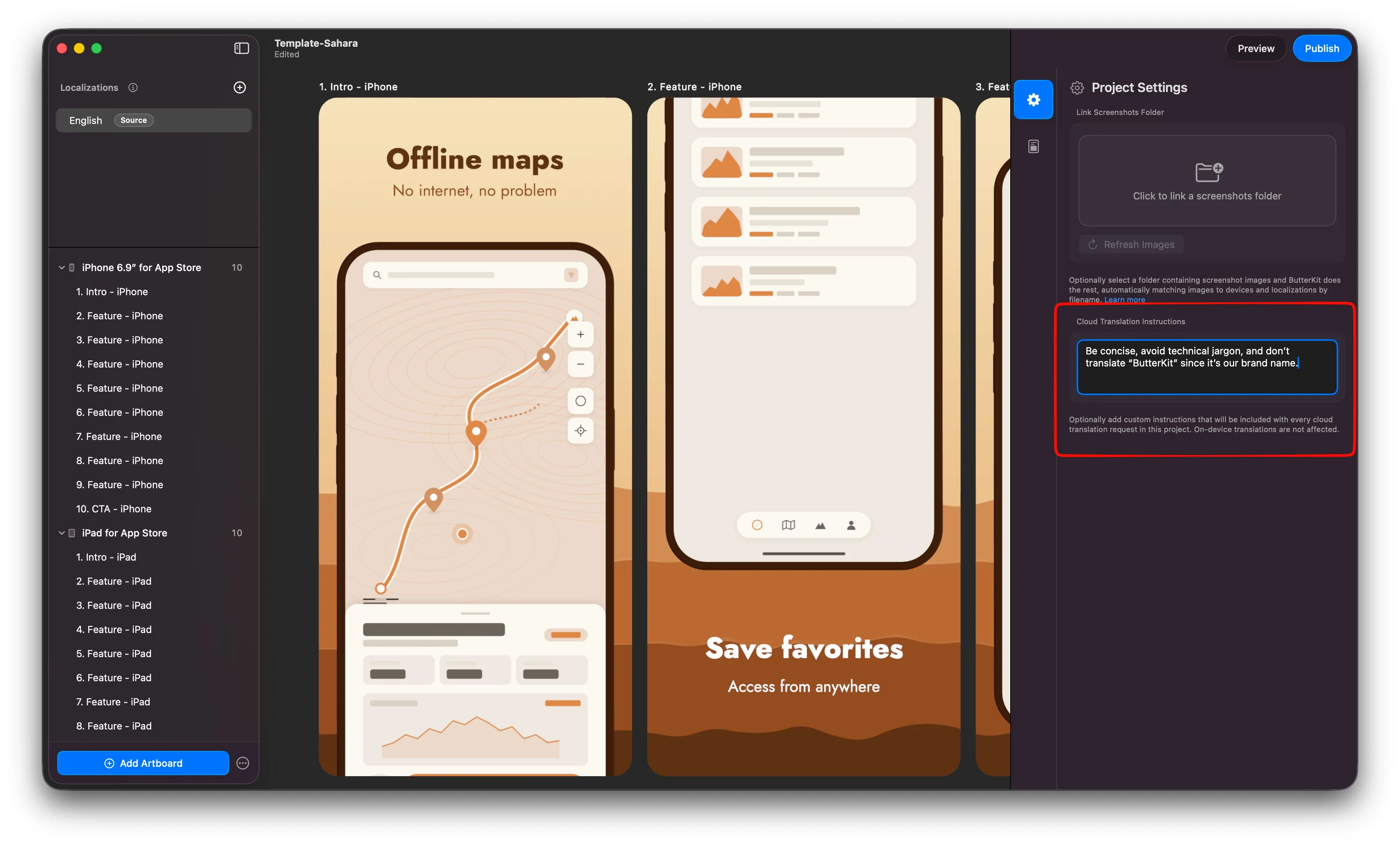
Edit your Cloud Translation Instructions in Project Settings
What to Include
Here are some ideas for what to put in your instructions:
| Instruction Type | Example |
|---|---|
| Tone | “Use a friendly, casual tone. Avoid corporate language.” |
| Capitalization | “Use sentence case for all headlines.” |
| Never translate | “Never translate these words: ButterKit, Pro, App Store.” |
| Terminology | “Use ‘screenshot’ instead of ‘screen capture’ in all languages.” |
| Formality | “Use formal address (e.g. ‘Sie’ in German, ‘vous’ in French).” |
| Length | “Keep translations concise. Shorter is better.” |
You can combine multiple instructions in a single block. Write them however feels natural.
Notes
- Translation Instructions only apply to cloud AI models. On-device translation (Apple’s Translation Framework) does not support custom instructions.
- Instructions are project-specific. Each
.butterkitproject file stores its own set of instructions. - There is no strict format required. Plain text works best.
Quick Help
- Need more help? Browse the Documentation
- Check out our Templates & Add-ons
- Join us on Discord for quick help
- Any other questions? Get in touch