Translate with Google Gemini
Google Gemini models offer fast, cost-effective translations backed by Google’s language expertise. Gemini is a strong choice for high-volume translation jobs, especially with its generous free tier for lower-traffic usage.
Prerequisites
- A ButterKit Pro license
- A Google AI API key (create one at aistudio.google.com/apikey)
Connect Google Gemini to ButterKit
Open Settings
In ButterKit, go to Settings > Models.
Add a new model
Click the + button to add a new cloud model.
Enter your model details
Fill in the following fields:
| Field | Value |
|---|---|
| Description | Google Gemini (or any label you prefer) |
| URL | https://generativelanguage.googleapis.com |
| API Key | Your Google AI API key |
| Model | gemini-2.5-flash (recommended) |
| API Key Header | Leave blank (auto-detected) |
| Temperature | 0.35 |
Temperature controls randomness: lower values (0.0-0.3) produce more literal translations, while higher values (0.4-0.7) allow light paraphrasing. We recommend
0.35as a good starting point. Some endpoints may clamp or ignore this value.
Security: Your API key is stored securely in the macOS Keychain. It is never sent to ButterKit servers or any third party other than the provider you configure.
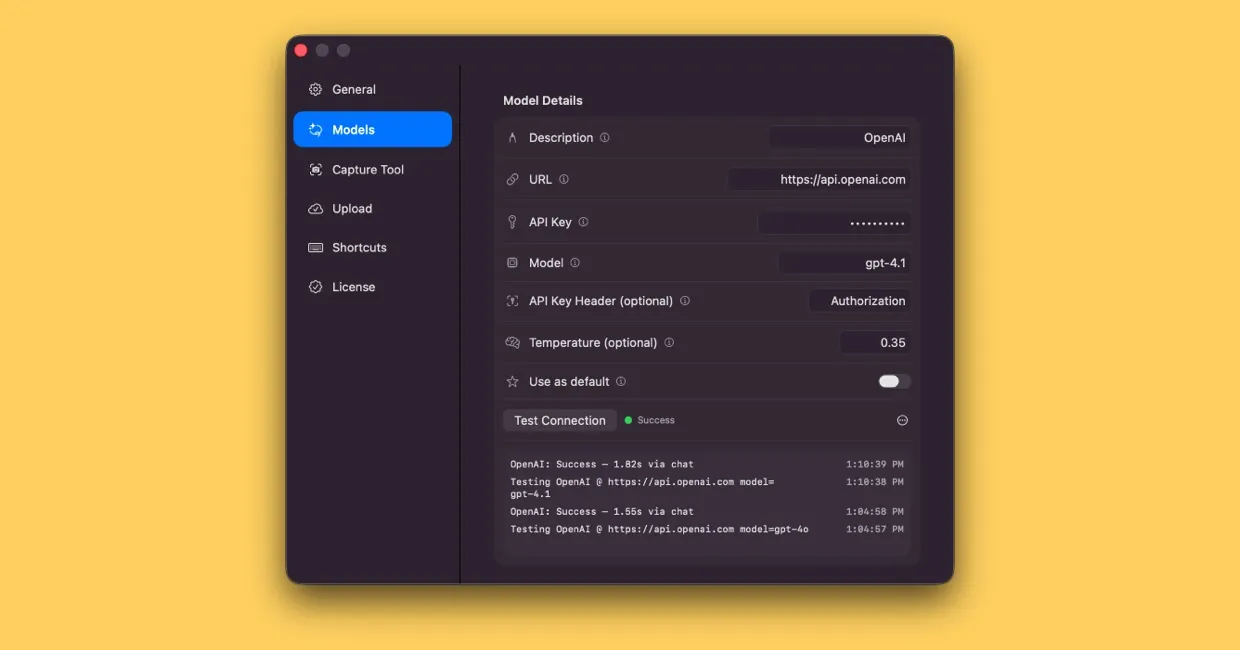
Connecting a cloud translation model in ButterKit Settings
Test the connection
Click Test Connection to verify that ButterKit can reach Google Gemini with your key. You should see a success confirmation.
Start translating
Toggle Use as default if you want Gemini for all translations, or select it from the Translate with dropdown when adding a localization.
Available Models
| Model | Best for | Relative cost |
|---|---|---|
gemini-2.5-flash | Recommended default; best price-performance for high-volume translation | Low |
gemini-2.5-pro | Highest quality for complex or nuanced text | Medium |
gemini-2.5-flash-lite | Fastest and cheapest; ideal for simple, bulk translations | Very low |
Recommended Settings
gemini-2.5-flash is the recommended default. It is optimized for speed and efficiency, making it ideal for translating many screenshots at once.
For translations requiring deeper reasoning or handling complex phrasing, gemini-2.5-pro offers the highest quality. For maximum throughput at the lowest cost, gemini-2.5-flash-lite is an excellent budget option.
Billing
You are billed directly by Google based on token usage. Google AI Studio includes a free tier that covers moderate usage. Monitor your usage and billing at aistudio.google.com.
Quick Help
- Need more help? Browse the Documentation
- Check out our Templates & Add-ons
- Join us on Discord for quick help
- Any other questions? Get in touch