Seamless panoramic backgrounds
ButterKit allows a single background image to be applied seamlessly across multiple artboards, creating a polished and professional look for your app. And it’s very easy to do in any design tool or even with something like Claude Design or Figma Make.
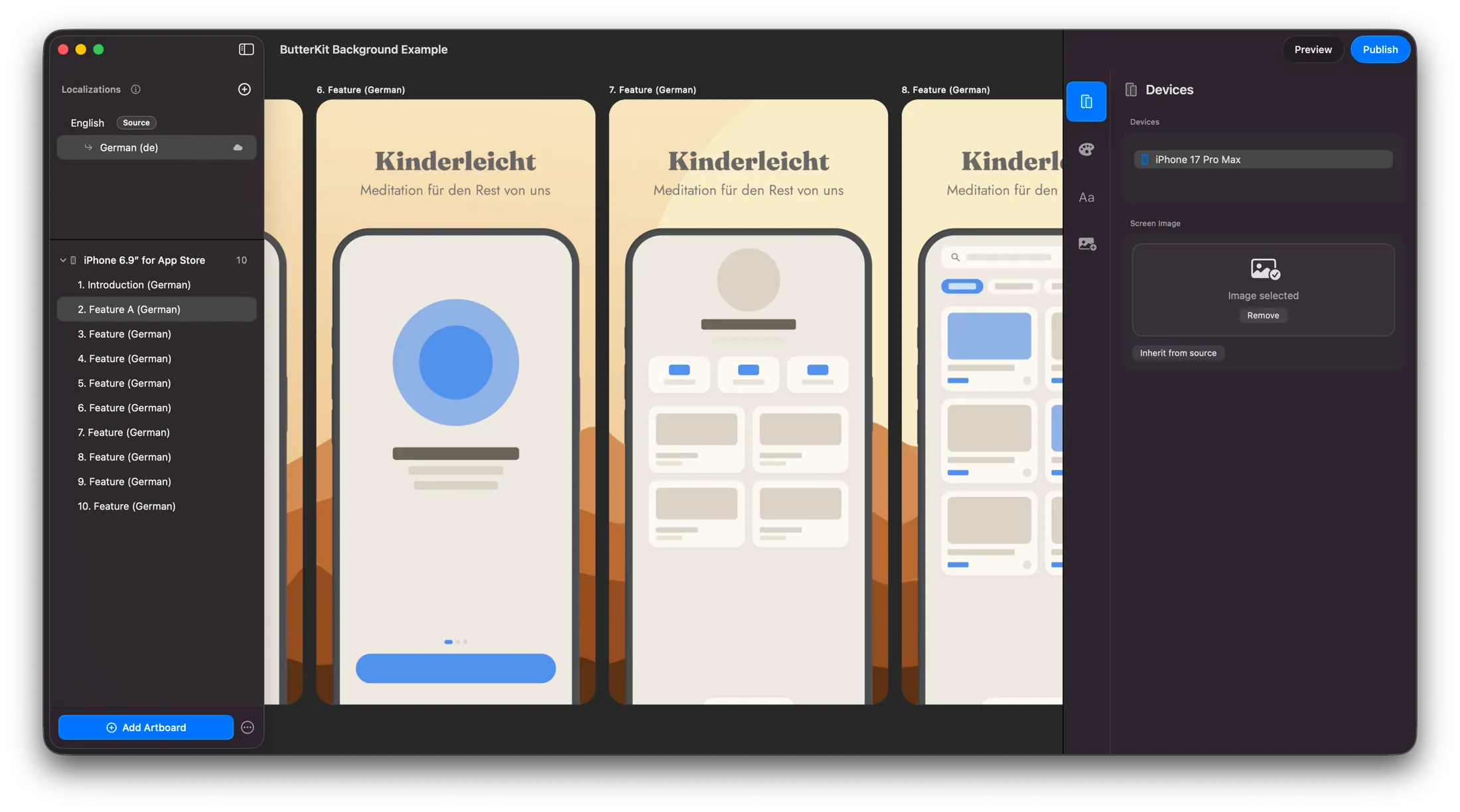
Example: a panoramic background applied to multiple artboards in ButterKit
Create wide background image
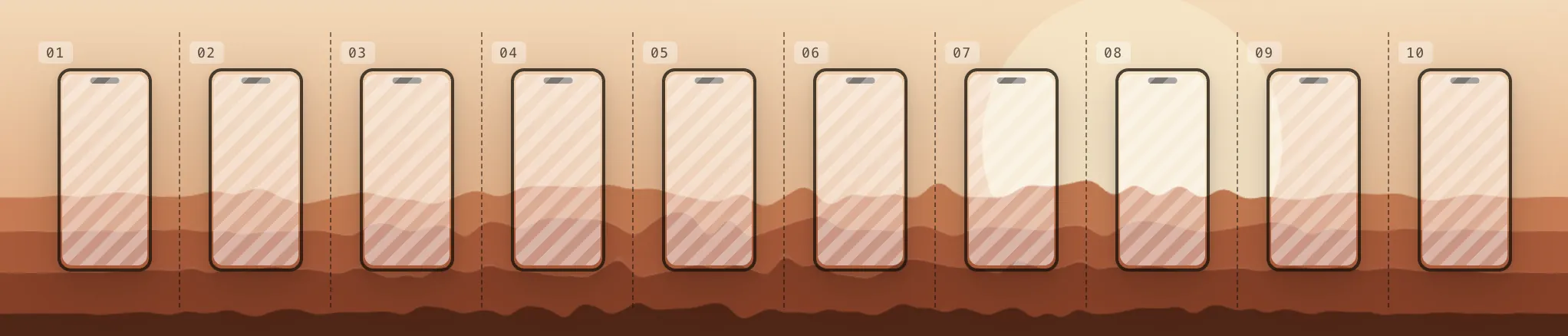
ButterKit slices the background image for you
To work as expected, it should be as wide as the total of your artboards. For example:
| Preset | Recommended Size |
|---|---|
| iPhone 6.9" for App Store | 12900 x 2796 |
| iPhone 6.5" for App Store | 12420 x 2688 |
| iPad for App Store | 20480 x 2732 |
| Mac for App Store | 28800 x 1800 |
| Apple Vision Pro for App Store | 38400 x 2160 |
| Google Play Store | 10800 x 1920 |
Select your artboards
In the Artboard navigator, select all artboards (within a grouping e.g. iPhone 6.9" for App Store) by holding Shift.
Apply the background image
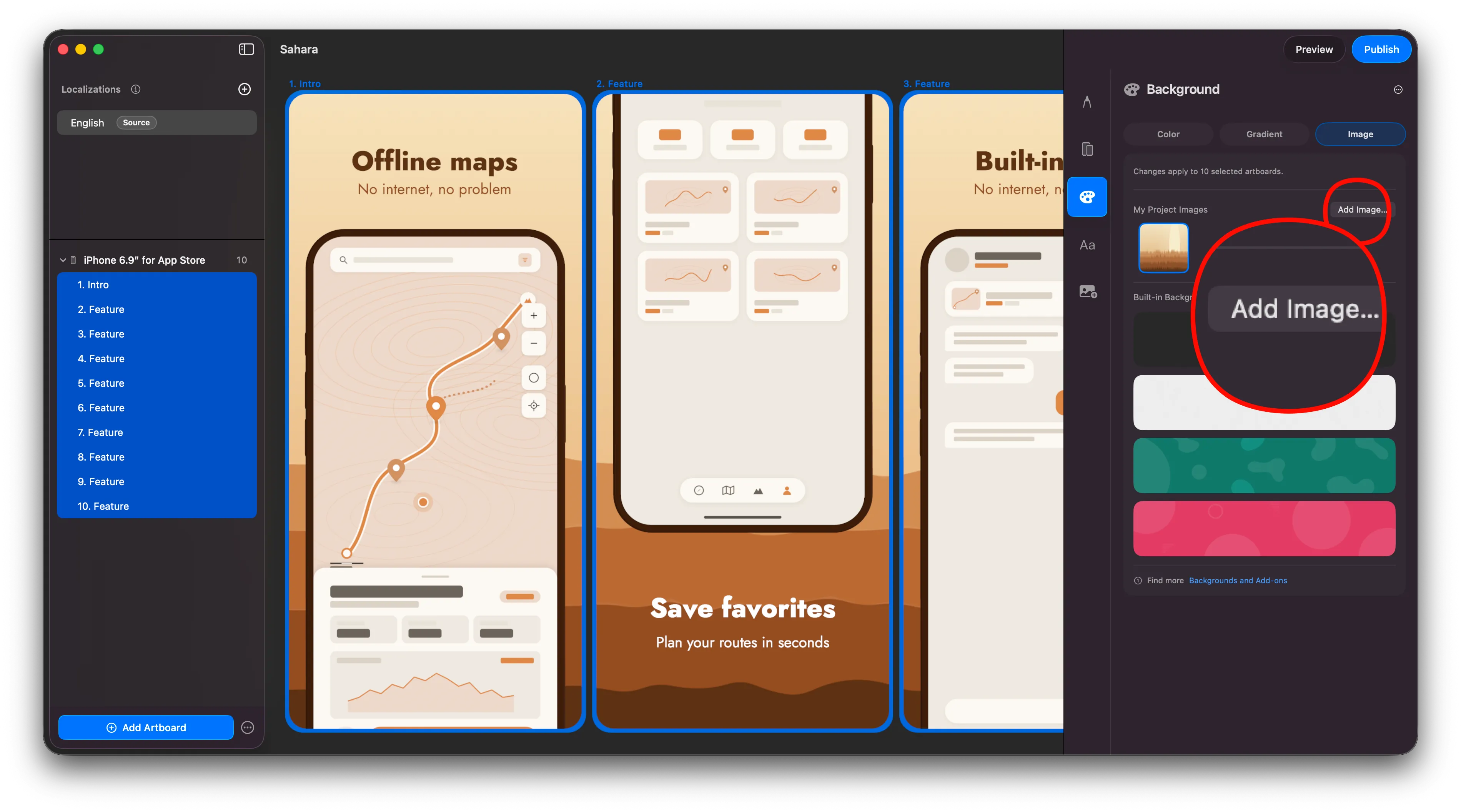
1. Select all artboards and apply the single background image; ButterKit handles the rest
Open the Background inspector and apply the large image to all artboards at once. ButterKit automatically handles the math, cropping, and compositing for you.
Voilà!
It’s that easy. ButterKit does the heavy lifting for you. Share your screenshots and app launch on the ButterKit Discord or subreddit for feedback and support from fellow builders/designers/devs.
Quick Help
- Need more help? Browse the Documentation
- Check out our Templates & Add-ons
- Join us on Discord for quick help
- Any other questions? Get in touch