Meet ButterKit 3: New sizes, new artwork, smoother everything
Migrate to the new App Store sizes in one click, design the new Header and Search Results artwork, and manage your metadata without leaving ButterKit.
What’s new
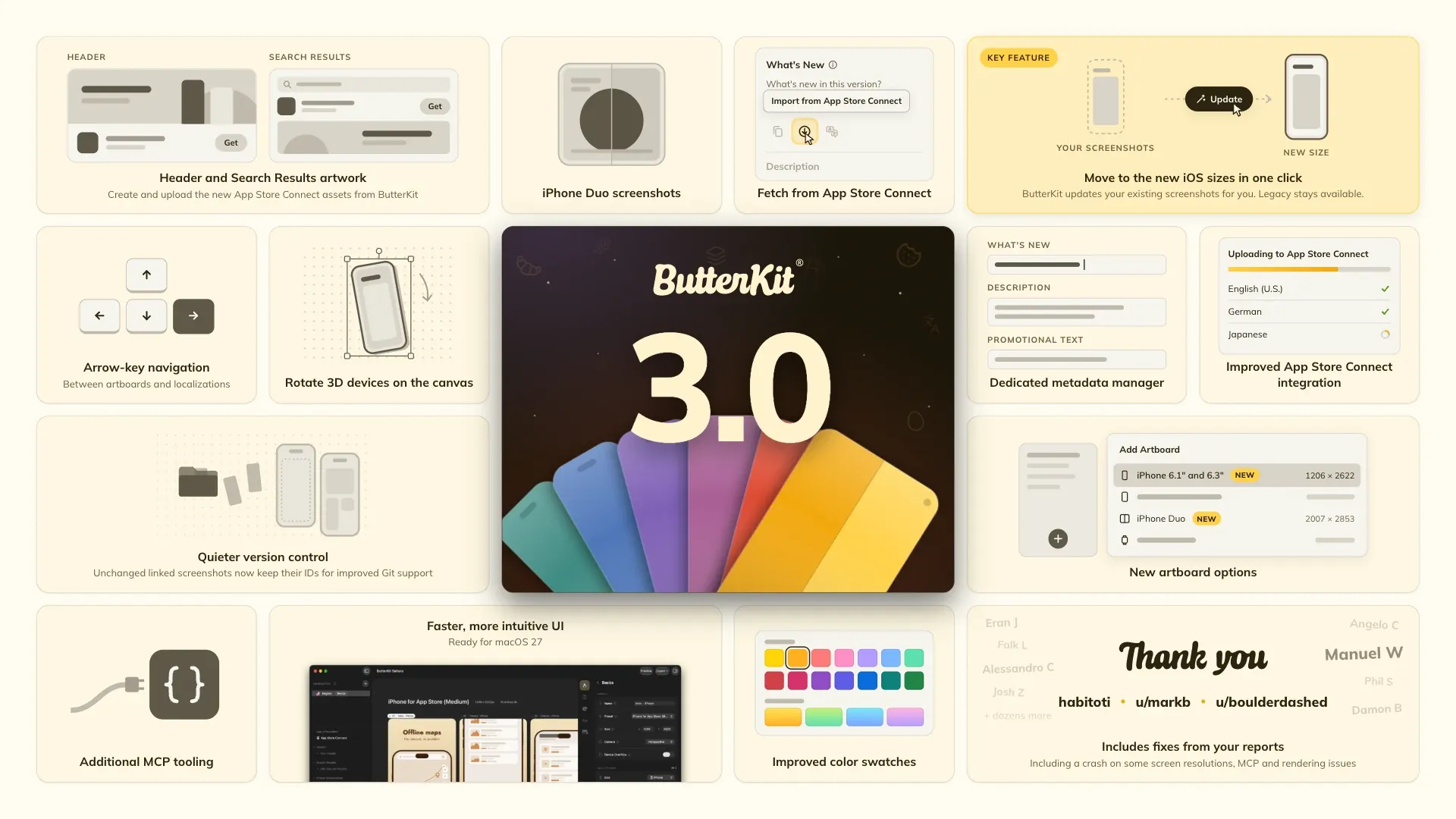
- New App Store sizes. New projects start at the correct size, and older projects can migrate to it in one click. Legacy sizes stay available.
- Header, Search Results, and iPhone Duo artwork. Create and export the new App Store artwork types.
- Metadata manager. A dedicated home for your app metadata, with sync tools like fetching individual sections from App Store Connect.
- Latest App Store Connect API. Uploads now show progress for each language.
- Faster, more organized UI. Ready for macOS 27.
- New artboard options. iPhone 6.1" and 6.3" (1206 × 2622) and iPhone Duo (2007 × 2853).
- Rotate 3D devices on the canvas. You can now rotate 3D devices visually on the canvas instead of only using the Inspector. Just select the device on the canvas and you will notice new controls appear.
- Arrow-key navigation. Move between artboards and selected localizations with your keyboard. (thanks habitoti)
- Improved color swatches.
- More MCP tooling for AI agents.
What’s fixed
- Quieter version control. Opening a project with linked screenshots no longer creates unnecessary changes. Unchanged images keep their existing IDs. (thanks u/markb)
- Launch crash fixed. The app no longer crashes when opening on some screen resolutions. (thanks u/boulderdashed)
I’m really excited to ship ButterKit 3, it has some features I’ve been sitting on for a while (e.g. 3D rotation on canvas) and they’re finally ready.
Apple introduced new iOS screenshot sizes in App Store Connect, so ButterKit now starts new projects at the right size and offers to move your existing screenshots over in one click. Your legacy sizes stay available if you need them.
There’s also new App Store artwork to design (Header, Search Results, and iPhone Duo), a dedicated home for your app metadata, and a faster, more organized interface that’s ready for macOS 27.
A big thank you to habitoti, u/markb, u/boulderdashed, and everyone who reported bugs and shared ideas. Several of these changes came straight from your messages.
Smooth shipping,
-Zach